图中文字正确率
中文海报、英文指定字体、英文四栏信息图,每款 9 张,逐字逐词核对:四款全部写对。2025 年的初代 Nano Banana 中文海报写错 3 处。
Google 的图片生成和编辑模型:一句话出图,或传最多 14 张参考图改图,最高 4K。
| 分辨率 | 1:1 输出尺寸 | KovAPI 每张 | Google 标准 API(图片输出折算) |
|---|---|---|---|
| 1K | 1024×1024 | $0.0153 积分 | $0.0336 |
| 2K | 2048×2048 | $0.0255 积分 | $0.0504 |
| 4K | 4096×4096 | $0.048 积分 | $0.113 |
Google 列的口径:Gemini Developer API 标准价(不是 Batch 价)里图片输出的部分,每百万图片输出 token $30,1K / 2K / 4K 分别按 1,120 / 1,680 / 3,780 token 折算。不含提示词和参考图的输入 token(另按每百万 $1.50 计),所以不是一次请求的总价。来源:Google Gemini API 定价页,2026-11-18 核对。
两边调用的是同一个 Google 模型,差别在接口、能力范围和付款方式。
| 你的情况 | 更适合 | 原因 |
|---|---|---|
| 只要文生图和参考图改图,想按张算清成本 | KovAPI | 一张图一个价,参考图不另收费,失败退回预扣。 |
| 一个 Key 同时调图片、视频和对话模型 | KovAPI | 同一套接口和账单,换模型只改 model。 |
| 想用银行卡、PayPal、USDT 或微信充值 | KovAPI | 不需要开通 Google Cloud 结算账号。 |
| 需要 Google 搜索或可调思考档位 | 直连 Google | KovAPI 的这个型号不开放这些参数。 |
| 需要视频 / PDF 输入、多轮对话式编辑、图文混排输出 | 直连 Google | KovAPI 只收文本提示词和参考图,每个任务返回 1 张图。 |
| 需要一次请求直接拿到图片 | 直连 Google | KovAPI 是异步任务:提交后查询,或用 callback_url 接收结果。 |
| 需要和 Google 直接签约、使用 Google Cloud 的数据和合规条款 | 直连 Google | KovAPI 是第三方服务,适用 KovAPI 自己的服务条款。 |
提交任务取得 ID,查询状态,完成后取回图片链接。
POST /v1/images/generations,请求头带 Authorization: Bearer <你的 Key>。请求体写 model、prompt、size(画幅)和 resolution(1K / 2K / 4K);改图时加 images,最多 14 张。接口立即返回任务 id。
GET /v1/images/jobs/<id>,status 从 queued、processing 变成 succeeded 或 failed;排队时会带 queue_position 和 eta_seconds。每 2–3 秒查一次即可。也可以提交时带 callback_url,任务结束时我们把同样的 JSON 推给你。
成功后 data[0].url 是 Google 原图(JPEG),链接保留 7 天,请及时转存。失败时 error 写明原因,预扣积分自动退回。
POSThttps://kovapi.com/v1/images/generations
import os, time, requests

API = "https://kovapi.com/v1"
HEADERS = {"Authorization": "Bearer " + os.environ["KOVAPI_API_KEY"]}

# 1) 提交任务
r = requests.post(API + "/images/generations", headers=HEADERS, json={
    "model": "nano-banana-2.1",
    "prompt": "A product photo of a glass bottle of cold brew coffee on a marble countertop, soft studio light.",
    "size": "1:1",
    "resolution": "1K"
})
r.raise_for_status()
job = r.json()

# 2) 用返回的 id 查询,直到 status 变成 succeeded
while job["status"] in ("queued", "processing"):
    time.sleep(3)
    job = requests.get(API + "/images/jobs/" + job["id"], headers=HEADERS).json()

# 3) 图片链接,保留 7 天
print(job["data"][0]["url"] if job["status"] == "succeeded" else job.get("error"))
# 1) 提交任务
curl https://kovapi.com/v1/images/generations \
  -H "Authorization: Bearer $KOVAPI_API_KEY" \
  -H "Content-Type: application/json" \
  -d '{
    "model": "nano-banana-2.1",
    "prompt": "A product photo of a glass bottle of cold brew coffee on a marble countertop, soft studio light.",
    "size": "1:1",
    "resolution": "1K"
}'

# 2) 用返回的 id 查询,直到 status 变成 succeeded
curl https://kovapi.com/v1/images/jobs/<id> \
  -H "Authorization: Bearer $KOVAPI_API_KEY"
const API = "https://kovapi.com/v1";
const headers = { Authorization: `Bearer ${process.env.KOVAPI_API_KEY}`, "Content-Type": "application/json" };

// 1) 提交任务
let job = await (await fetch(`${API}/images/generations`, {
  method: "POST",
  headers,
  body: JSON.stringify({
    "model": "nano-banana-2.1",
    "prompt": "A product photo of a glass bottle of cold brew coffee on a marble countertop, soft studio light.",
    "size": "1:1",
    "resolution": "1K"
  }),
})).json();

// 2) 用返回的 id 查询,直到 status 变成 succeeded
while (job.status === "queued" || job.status === "processing") {
  await new Promise((r) => setTimeout(r, 3000));
  job = await (await fetch(`${API}/images/jobs/${job.id}`, { headers })).json();
}

// 3) 图片链接,保留 7 天
console.log(job.status === "succeeded" ? job.data[0].url : job.error);
Python 需要 requests 库;Node.js 需要 18 以上版本,存成 .mjs 运行。代码里的 Key 读环境变量 KOVAPI_API_KEY。
2026-11-18 用上面这组参数实际调用,从提交到出图 14 秒。返回里的图片链接 7 天后失效。
{
  "id": "img_ec51a8a0c4e19ee428d8d98c",
  "object": "image.generation.job",
  "status": "queued",
  "created": 1794997346,
  "model": "nano-banana-2.1"
}{
"id": "img_ec51a8a0c4e19ee428d8d98c",
"object": "image.generation.job",
"status": "queued",
"created": 1794997346,
"model": "nano-banana-2.1",
"queue_position": 2,
"eta_seconds": 32
}{
"id": "img_ec51a8a0c4e19ee428d8d98c",
"object": "image.generation.job",
"status": "succeeded",
"created": 1794997346,
"model": "nano-banana-2.1",
"data": [
{
"url": "https://img.kovapi.com/i/c4d77b37d429476956a7f2dd48a370c9.jpg"
}
],
"usage": {
"images": 1,
"resolution": "1K",
"model": "nano-banana-2.1"
}
}| 模型 ID | nano-banana-2.1 |
|---|---|
| 输入 | 文本提示词(必填);参考图 0–14 张(images:公网链接、data URI 或 base64,单张不超过 16 MB) |
| 输出 | 每个任务 1 张图:Google 原图(JPEG),不裁切、不缩放,保留 C2PA 和 SynthID 标记 |
| 分辨率 | 1K / 2K / 4K(resolution,默认 1K) |
| 画幅 | 14 种(size,默认 1:1):1:1 / 16:9 / 9:16 / 4:3 / 3:4 / 3:2 / 2:3 / 4:5 / 5:4 / 21:9 / 1:4 / 4:1 / 1:8 / 8:1 |
| 调用方式 | 异步:提交后查询,或用 callback_url 接收结果 |
| 结果保存 | 图片链接保留 7 天 |
| 计费 | 按张,只看分辨率;文生图和图生图同价;失败退回预扣 |
Google 自己的 API 有、KovAPI 的这个型号没有:视频和 PDF 输入、可调思考档位、Google 网页搜索和图片搜索、多轮对话式编辑、图文混排输出、Batch 批量接口。需要这些请直连 Google。
2026-11-18 用 KovAPI 接口跑的,每题每款 2–3 次全部计入。样本不大,看相对差距,不看小数点后第三位。
中文海报、英文指定字体、英文四栏信息图,每款 9 张,逐字逐词核对:四款全部写对。2025 年的初代 Nano Banana 中文海报写错 3 处。
沙发以外的部分和原图的相似度(SSIM,1 = 完全一样),3 次平均。
帽子以外的部分和原图的相似度,3 次平均。
裙子改成祖母绿。整张图按灰度算结构相似度(颜色变了不扣分),2 次平均:2.1 明显最好。
整张图的结构相似度,2 次平均。夜景本来就要改光线,分数天然低,只在四款之间比:Pro 最守布局。
标准题 12 道的中位秒数,每款 36 张,含上游排队;越短越好。
测试日期 2026-11-18,全部经 KovAPI 接口生成
两个榜都是请人盲评两张图哪张更好,再算出分数(Elo)。不同榜的分数不能互相比,只看同一个榜里的名次和差距。
NB 2 在这个榜上测的是开谷歌搜索的版本,我们的接口不开搜索,分数可能偏高。
单图改图榜。
14 种比例,每个比例交付固定的原生尺寸:2K 的边长是 1K 的 2 倍,4K 是 4 倍。
都是 Google 原生输出,我们不裁切、不缩放。Lite 只有 1K。
同一句提示词每档各生成一次(Nano Banana 不能固定种子,三档画面不一样)。每档放原图、像素、文件大小和价格;局部图都取画面里细节最密的一块。
鼠标放到局部图上(手机点一下)切换成「缩到一半再放大回来」的版本:几乎不变,说明这张图的细节用一半的像素就装得下。
Google 官方的 4K 壁纸提示词。
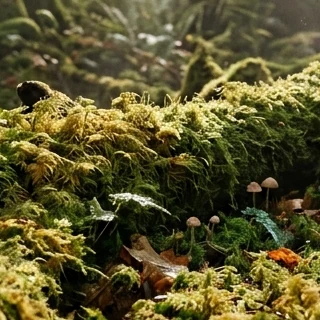
 100% 局部缩到一半再放大回来
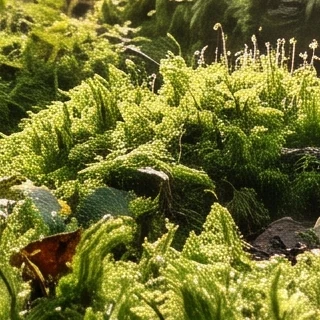
 100% 局部缩到一半再放大回来
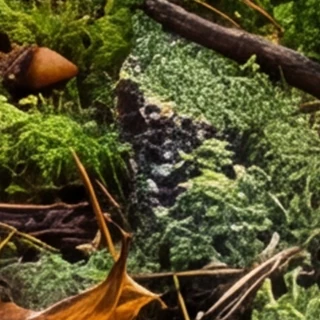
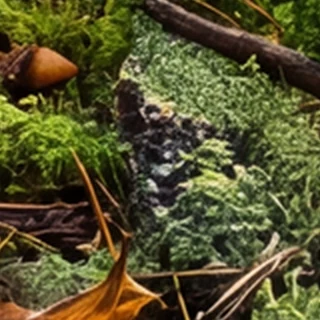 100% 局部缩到一半再放大回来
Harness native high-fidelity output to craft a breathtaking, atmospheric environment of a mossy forest floor. Command complex lighting effects and delicate textures, ensuring every strand of moss and beam of light is rendered in pixel-perfect resolution suitable for a 4K wallpaper.
Google 官方的长提示词,细节很多。
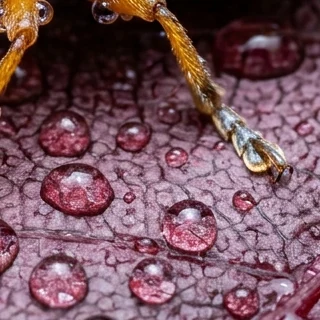
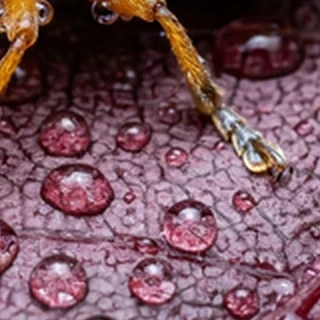 100% 局部缩到一半再放大回来
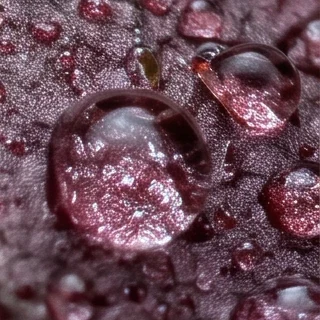
 100% 局部缩到一半再放大回来
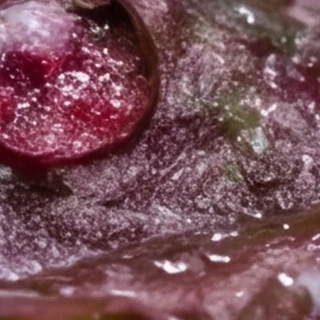
 100% 局部缩到一半再放大回来
In this extreme close-up, macro photograph, we see a vibrant and detailed image of a small beetle resting on a leaf, both covered in glistening water droplets. The art style is hyper-realistic, capturing intricate textures and the play of light with stunning clarity. The beetle is the central subject, positioned diagonally from the upper left to the lower right of the frame. Its head and thorax are a bright, textured orange-yellow, while its elytra (wing covers) are a striking combination of light blue with large, irregular magenta or deep pink spots. The beetle's long, segmented antennae, also covered in tiny water beads, extend towards the left. Its large, black compound eye is prominent. The leaf it rests on is a deep reddish-purple, its surface also dotted with numerous clear water droplets of various sizes, which reflect and refract the light, adding a sparkling quality to the scene. The background is a soft, dark blur, which makes the colorful beetle and the wet leaf stand out dramatically. The overall impression is one of delicate beauty and the wonder of the natural world seen in minute detail. The colors are vivid and saturated, with the contrast between the beetle's bright hues and the darker leaf creating a visually compelling composition.
10 行粉笔小字,看小字清不清楚。
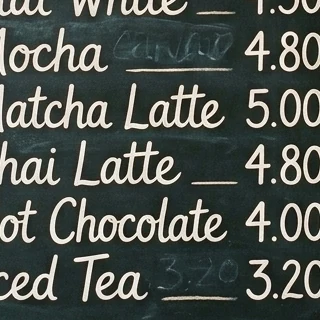
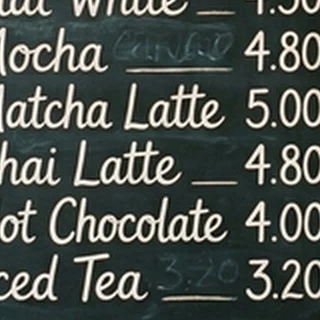 100% 局部缩到一半再放大回来
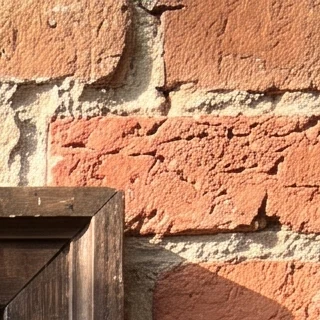
 100% 局部缩到一半再放大回来
 100% 局部缩到一半再放大回来
A photo of a vintage cafe chalkboard menu on a brick wall, listing ten drinks with prices in neat chalk handwriting: "Espresso 3.00", "Americano 3.50", "Latte 4.20", "Cappuccino 4.20", "Flat White 4.50", "Mocha 4.80", "Matcha Latte 5.00", "Chai Latte 4.80", "Hot Chocolate 4.00", "Iced Tea 3.20". Warm morning light.
| 档位 | 适合用在 | 注意 |
|---|---|---|
| 1K | 社媒配图、缩略图、网页小图、草稿和批量出图 | 最快最便宜;边长约 1000–1400 像素(看比例) |
| 2K | 电商主图和详情页、网页大图、屏幕上看的海报 | 实测 2K 的每个像素都有内容,细节比 1K 多一倍 |
| 4K | 印刷、大屏、要后期裁切的素材 | 比 2K 多出的细节很少:4K 缩到 2K 再放大回来,几乎看不出变化。文件约 11 MB,比 2K 慢 45–60% |
选择一张图,查看提示词和参数,也可以把它们带入工作台。
全部用 KovAPI 接口生成,原图没有修改;提示词原样附上,出自 Google 官方指南的在说明里写明。点开看原图、参数和花费;在同一型号的页面可以一键套用到在线测试。
curl https://kovapi.com/v1/images/generations \
  -H "Authorization: Bearer $KOVAPI_API_KEY" \
  -H "Content-Type: application/json" \
  -d '{
  "model": "nano-banana-2.1",
  "prompt": "Place this perfume bottle on a white marble bathroom counter next to a small vase of white flowers, soft morning light from a window. Keep the bottle, its gold cap and the '\''LUMEN'\'' label exactly the same.",
  "size": "1:1",
  "resolution": "1K",
  "images": [
    "https://img.kovapi.com/i/mp-a4b6da2cc98815ed3b3207bf.jpg"
  ]
}'curl https://kovapi.com/v1/images/generations \
-H "Authorization: Bearer $KOVAPI_API_KEY" \
-H "Content-Type: application/json" \
-d '{
"model": "nano-banana-2.1",
"size": "3:4",
"resolution": "2K",
"prompt": "一张竖版咖啡新品海报。顶部用粗体无衬线字写中文主标题「桂花拿铁」,主标题正下方用细的英文无衬线字写「Osmanthus Latte」,海报底部用小字写「New Arrival · 9.1 – 10.31」。画面中央是一杯奶泡上撒着金色桂花的拿铁,暖色调,背景简洁,留白充足。"
}'全部是 1K,每款 3 次全放出来,不挑图;点小图看原图。文字题逐字核对,改图题算「不该动的地方」和原图的相似度(1 = 完全一样),数字在每列下面。
三行中文:主标题、日期、角标。四款 12 张全部写对,没有一个错字;2025 年的初代 Nano Banana 同一句会写错字,见「版本演进」。
3:4 · 1K一张竖版咖啡新品海报。顶部用粗体无衬线字写主标题「秋日桂花拿铁」,主标题下方用较小的字写「限时供应 9月1日—10月31日」,海报右下角写「第二杯半价」。画面中央是一杯奶泡上撒着金色桂花的拿铁,暖色调,背景简洁,留白充足。
四栏 9 段英文,每个词都在图上:四款 12 张全对。
16:9 · 1KCreate a clean infographic titled "How Coffee Is Made" with four numbered steps from left to right. Step 1 "Harvest": "Ripe cherries are picked by hand." Step 2 "Process": "The beans are washed and dried." Step 3 "Roast": "Heat turns green beans brown." Step 4 "Brew": "Hot water pulls out the flavor." Each step has a simple flat icon above its text. Flat vector style, cream background, dark brown text.
阅读译文 · 译文只供阅读;复制和套用都用原文
做一张简洁的信息图,标题为「How Coffee Is Made」,从左到右四个带编号的步骤。第 1 步「Harvest」:「Ripe cherries are picked by hand.」第 2 步「Process」:「The beans are washed and dried.」第 3 步「Roast」:「Heat turns green beans brown.」第 4 步「Brew」:「Hot water pulls out the flavor.」每步文字上方配一个简单的扁平图标。扁平矢量风格,米色背景,深棕色文字。
Google 官方例句:把光合作用画成一页儿童菜谱。第 1 次四款都画出了阳光、水、二氧化碳和糖;字多,点开看原图。
3:4 · 1KCreate a vibrant infographic that explains photosynthesis as if it were a recipe for a plant's favorite food. Show the "ingredients" (sunlight, water, CO2) and the "finished dish" (sugar/energy). The style should be like a page from a colorful kids' cookbook, suitable for a 4th grader.
阅读译文 · 译文只供阅读;复制和套用都用原文
做一张色彩鲜艳的信息图,把光合作用讲成植物最爱的一道菜的菜谱。画出「食材」(阳光、水、二氧化碳)和「成品」(糖 / 能量)。风格像一本彩色儿童食谱里的一页,适合四年级学生。
Google 官方改图例句。数字是沙发以外的部分和原图的相似度,3 次平均:四款都只换了沙发,Pro 保得最好,Lite 最低。
Using the provided image of a living room, change only the blue sofa to be a vintage, brown leather chesterfield sofa. Keep the rest of the room, including the pillows on the sofa and the lighting, unchanged.
阅读译文 · 译文只供阅读;复制和套用都用原文
使用提供的客厅图片,只把蓝色沙发换成一张复古的棕色皮质切斯特菲尔德沙发。房间其余部分,包括沙发上的抱枕和光线,保持不变。
Google 官方改图例句。数字是帽子以外的部分和原图的相似度,3 次平均:Pro 最高。
Using the provided image of my cat, please add a small, knitted wizard hat on its head. Make it look like it's sitting comfortably and matches the soft lighting of the photo.
阅读译文 · 译文只供阅读;复制和套用都用原文
使用我提供的猫的图片,请在它头上加一顶小小的毛线巫师帽。让它看起来坐得很舒服,并和照片的柔和光线一致。
Google 官方例句:把第一张图的裙子给第二张图的人穿上。第 1 次 Lite 把裙子当成半身裙套在白 T 恤下面,其余三款都穿对了;另外两次见图。
Create a professional e-commerce fashion photo. Take the blue floral dress from the first image and let the woman from the second image wear it. Generate a realistic, full-body shot of the woman wearing the dress, with the lighting and shadows adjusted to match the outdoor environment.
阅读译文 · 译文只供阅读;复制和套用都用原文
制作一张专业的电商服装照。把第一张图里的蓝色碎花裙给第二张图里的女人穿上。生成一张逼真的全身照,调整光线和阴影,让它和户外环境一致。
改写自 Google 官方的本地化示例:只换文字,其他不动。四款都翻成了中文,「Taste the Aura」的译法各不相同;初代 Nano Banana 没有翻,见「版本演进」。
Update this poster to be in Simplified Chinese. Do not change any other elements of the image.
阅读译文 · 译文只供阅读;复制和套用都用原文
把这张海报改成简体中文。不要改动图片里的其他任何元素。
左边 3 个苹果、右边 2 个梨、中间 1 个蓝杯:四款第 1 次都数对了,位置也对。
1:1 · 1KA top-down photo of a wooden table. On the left side there are exactly three red apples. On the right side there are exactly two green pears. In the middle between them stands one blue ceramic cup. Soft daylight, nothing else on the table.
阅读译文 · 译文只供阅读;复制和套用都用原文
俯拍一张木桌。左边正好放着三个红苹果,右边正好两个青梨,两组中间立着一只蓝色陶瓷杯。柔和的日光,桌上没有别的东西。
Google 官方例句:老陶艺师,85mm 人像镜头。皱纹和陶土质感点开原图看。
3:4 · 1KA photorealistic close-up portrait of an elderly Japanese ceramicist with deep, sun-etched wrinkles and a warm, knowing smile. He is carefully inspecting a freshly glazed tea bowl. The setting is his rustic, sun-drenched workshop. The scene is illuminated by soft, golden hour light streaming through a window, highlighting the fine texture of the clay. Captured with an 85mm portrait lens, resulting in a soft, blurred background (bokeh). The overall mood is serene and masterful. Vertical portrait orientation.
阅读译文 · 译文只供阅读;复制和套用都用原文
一张写实的特写人像:一位年长的日本陶艺师,脸上有被阳光刻出的深深皱纹,带着温暖、会意的微笑,正仔细端详一只刚上釉的茶碗。场景是他质朴、洒满阳光的工作室。柔和的黄金时刻光线从窗户照进来,突出陶土的细腻质感。用 85mm 人像镜头拍摄,背景柔和虚化。整体氛围宁静而老练。竖版人像构图。
Google 官方例句:戴竹帽的小熊猫贴纸。第 1 次 Lite 画得偏小、白边多。
1:1 · 1KA kawaii-style sticker of a happy red panda wearing a tiny bamboo hat. It's munching on a green bamboo leaf. The design features bold, clean outlines, simple cel-shading, and a vibrant color palette. The background must be white.
阅读译文 · 译文只供阅读;复制和套用都用原文
一张可爱风格(kawaii)的贴纸:一只开心的小熊猫戴着小竹帽,正在嚼一片绿色竹叶。线条粗而干净,简单的赛璐璐上色,色彩鲜艳。背景必须是白色。
写法出自 Google 官方的提示词指南(Gemini API 文档、Nano Banana Pro 七条建议、Google Cloud 提示词指南);例句多数是本页实测用过的提示词。
Google 的原话:一段完整的描述,几乎总比一串不相干的词效果好。
「一位年长的日本陶艺师,脸上有被阳光刻出的深深皱纹,正仔细端详一只刚上釉的茶碗……」
引号里的字会照着写;字体可以描述(「粗体无衬线」),也可以直接写字体名。本页中英文海报全部写对。
「顶部用粗体无衬线字写主标题「秋日桂花拿铁」」
告诉模型这张图给谁看、用在哪里,它会据此取舍构图和风格。
「制作一张专业的电商服装照……」
先说要改的部分,再说要保持不变的部分。本页「只换沙发」用的就是这个句式。
「只把蓝色沙发换成复古的棕色皮沙发,房间其余部分保持不变。」
按顺序说「第一张图的……第二张图的……」,或者给每个人物、物品起名字。
「把第一张图里的蓝色碎花裙给第二张图里的女人穿上」
广角、微距、85mm、低角度、景深、黄金时刻这些词,比「好看」「高级」管用。
「用 85mm 人像镜头拍摄,背景柔和虚化」
Google 建议写「空无一人的街道」,不要写「不要车」。
「街道上空无一人,也没有车」
画的是谁、什么
一位年长的日本陶艺师
在做什么
正仔细端详一只刚上釉的茶碗
在哪里、什么光线
质朴、洒满阳光的工作室,黄金时刻的光从窗户照进来
怎么取景、用什么镜头
特写,85mm 人像镜头,背景虚化
整体质感和氛围
写实,宁静而老练
[主体],[动作]。场景是[地点和光线]。[构图和镜头]。[风格和氛围]。画面里写「[要出现的字]」,用[字体描述]。竖版 / 横版 / 方形。
最近 7 天:成功率 99.9%;每张从提交到出图中位 26 秒,90% 在 49 秒 内。
按真实调用计算。客户请求本身的问题(内容审核拒绝、参数错误等)不算失败。
从初代到 2.1,每一代的发布时间、改进和 Arena 榜单分数(2026-11-16 快照)。
第一次支持多图合成、角色一致和用一句话改图。同一句中文海报写错 3 处,海报翻译没翻。Google 将于 2027-03-15 停用,建议迁到 Lite。
Arena 文生图 1148(#39)
带推理的旗舰:图中文字准确,支持 2K / 4K、最多 14 张参考图。比初代高约 100 分,是家族里最大的一跳。
Arena 文生图 1246(#19)· 改图 1391(#16)
Pro 的能力、Flash 的速度;新增 1:4、4:1、1:8、8:1 等比例。2026 年 10 月起由 2.1 取代。
Arena 文生图 1256(#14)
家族里最快、最便宜,只做 1K。Google 建议初代用户迁到它。
Arena 文生图 1249(#18)
基于 Gemini 3.6 Flash:画质、提示词遵循、文字和信息图排版都有提升,修好了宽幅在 2K / 4K 的拼接;官方价只有 NB 2 的一半。
Arena 文生图 1328(#8)· 改图 1427(#9)
中文海报:初代写错 3 处,之后四款全部写对。
image 传 1 张,或用 images 传多张。thinking_level 传 minimal 或 high);Pro、2.1、2 按 Google 的默认设置运行,不能调。